This is the first blog post for my CENG795 journey, where I will be coding a ray tracer from scratch and improve it as we learn new things in the class.
Data Structures
I decided to start with defining the data structures. And created a file to include all the minor and major structs except the ones requiring objects which are listed below. I did vectors and vertices two different types to be able to track whether I made a mistake in my computations. For example: Vertex – Vertex = Vec3f. If I somehow got confused and assigned it to a Vertex my code would not compile since I did not override operator – for that case. I am very clumsy so this precausion is needed to prevent annoying mistakes.
Enums: MaterialType (none, normal, mirror, conductor, dielectric), ObjectType (none, triangle, sphere, mesh, plane), ShadingType (none, smooth, flat)
Base types: Color (3 floats), Vec3f (3 floats), Vertex (3 floats), Ray (Vec3f and Vertex)
Complex Types: Cvertex, i.e. composite vertex (id, vertex and normal vector), Camera, PointLight, Material.
Object: Object (abstract class), Triangle, Plane, Mesh, Sphere
The object class has id, and a reference to a material. It also has three virtual functions that are: getObjectType(), checkIntersection(ray, t_min, shadow_test), getNormal(vertex).
Ray Tracer Types: SceneInput and HitRecord.
I will talk about parallel computing later, however SceneInput is the constant struct that is read by all the threads and never written on once a scene is parsed. It contains all the information within the json file, and the objects in a single objects vector. It also stores some precomputed values that are common for every thread.
Every object type has their vertices as references to the Complex Vertices vector of SceneInput. This was initially fine as I first initialized the vertices vector then the objects in my parser. However, became a problem with the ply files as I later added new vertices to my vector and when the vector got too big, it reallocated. I solved this by turning the Vertices vector into a deque. This was not an issue as I only use the vertices from within the objects and not directly from the list.
Hit record is as it sounds, holds the necessary information when our ray intersects with (or hits) an object. It includes an intersection point, a normal and an object pointer. I also added a mesh pointer just in case. Because when a mesh intersects with an object I only hold the triangle which does hold the necessary information from its mesh, so holding the mesh and the triangle separately is usually not needed.
For all these types, I overrode the necessary operators and the << operator. I also added: clamp, exponent(Color), dot product, determinant, magnitude, normalize, isWhite.
File Management
This is the section where I talk about my parser, which will be short since the data structures section talks about most of it. I will also write slightly about writing the result to the file.
Parser: I wrote parser as a namespace instead of an actual class. Its only used function from outside is parseScene, name self explanatory. In this function we first get the json data from file (using nlohmann json), then get small information such as background color and max recursion depth. If these are not given in the file they are initialized to their default values. Then the cameras, the lights, materials, vertices and objects are written to the sceneInput struct. For meshes using ply files, I read the files using happly library and add the new vertices. I also check for degenerate triangles and handle lookat cameras and vertex orientation (all given as “xyz” for our cases). For materials, if everything is given as 0 value, I set the type of that material to none and skip objects with material as “none”.
Writing the result: I initially used the function given last year to us for the raytracer, which worked for small scenes but was unable to write very big chunks of data. I then made it so that the ppm file format was P6 instead of P3, and wrote using fwrite which worked seamlessly. However, as it was recommended in the homework pdf, I wrote another function using the stb library, which worked as well.
Ray Tracer
For the main ray tracer, I have two classes: RayTracer and RayTracerThread.
The RayTracer is the class initialized by the main function and holds the scene information. It has the functions parseScene(input_path), drawScene(camID) and drawAllScenes(). The user should first call parseScene function, then draw scene.
ParseScene simply clears the vectors in the scene, calls parsers parseScene and sets the number of cameras, objects and lights.
DrawScene first initializes some common values in scene. After this step, the scene is information is never modified until another draw or parse scene function is called. I first create the list of raytracers made up of RaytracerThreads and then call them parallel.
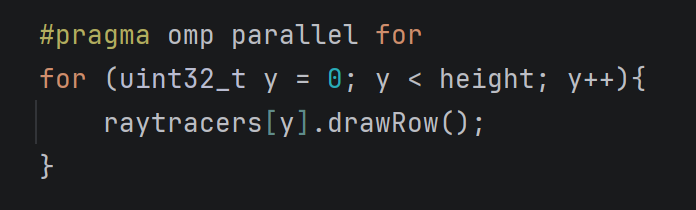
The RaytracerThread is where the magic happens. It holds references to the camera and the scene which are both marked as constant. It also holds a static int to count the number of done threads. I sometimes printed this to see how long was left for especially complex scenes. The computeColor function is the main function of this class. It first checks for max recursion depth, if the depth has not been reached, then it checks for object intersection. If an object has been hit, then does reflection if it is a mirror or a conductor, does refraction if it is a dielectric. We then check for shadows and if the point does not fall under a shadow its color is written.
The only part I could not solve was the dielectrics, I am doing something wrong I assume but could not find it until the due date.
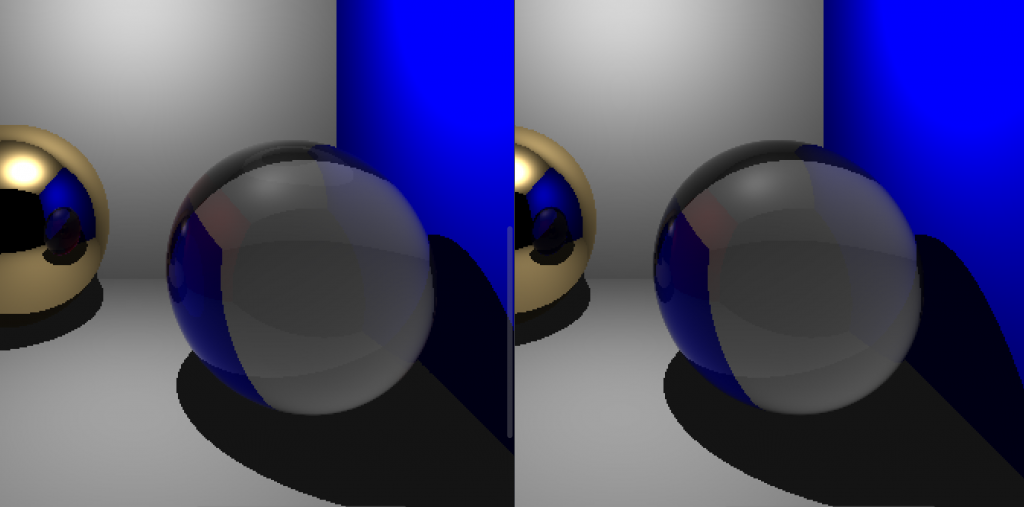
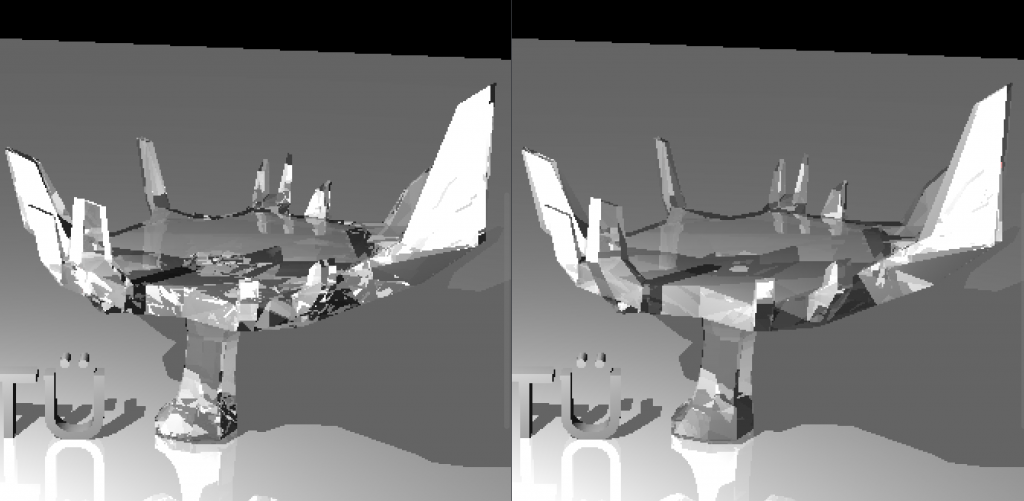
Mine are the ones on the right. It is more obvious with the science tree where I lack some details, I believe especially the reflections within the dielectric have some problems.
Moreover, with the other dragon scene mine turned out to have a slightly “dirtier” look. (Again, on the right). I could only render this once since it takes too long, therefore I could not test on it. And I believe since easier scenes are not as detailed I was not able to catch the difference. But I was not able to catch any other significant difference in other scenes. (I guess it is the difference between smooth and flat shading)
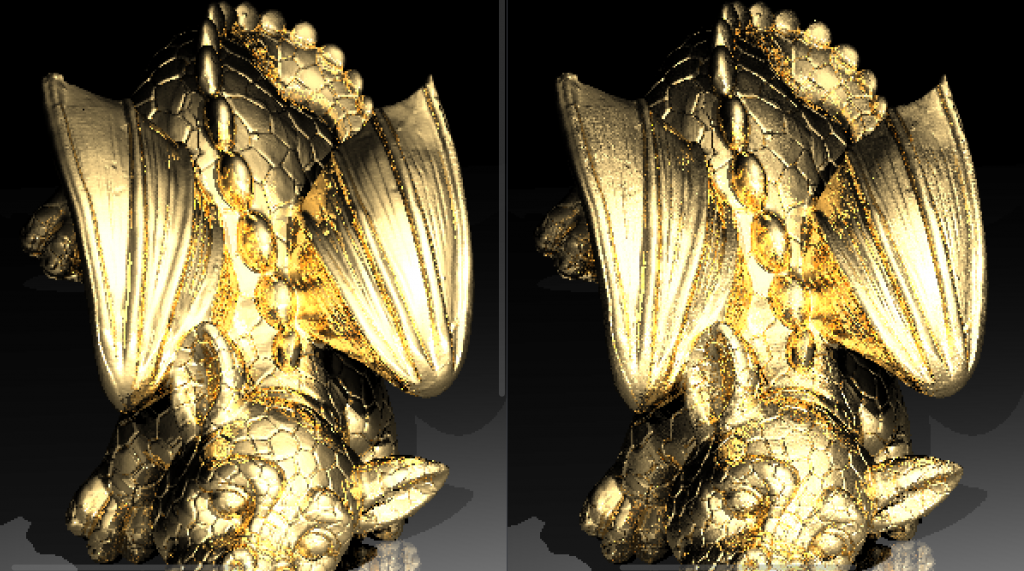
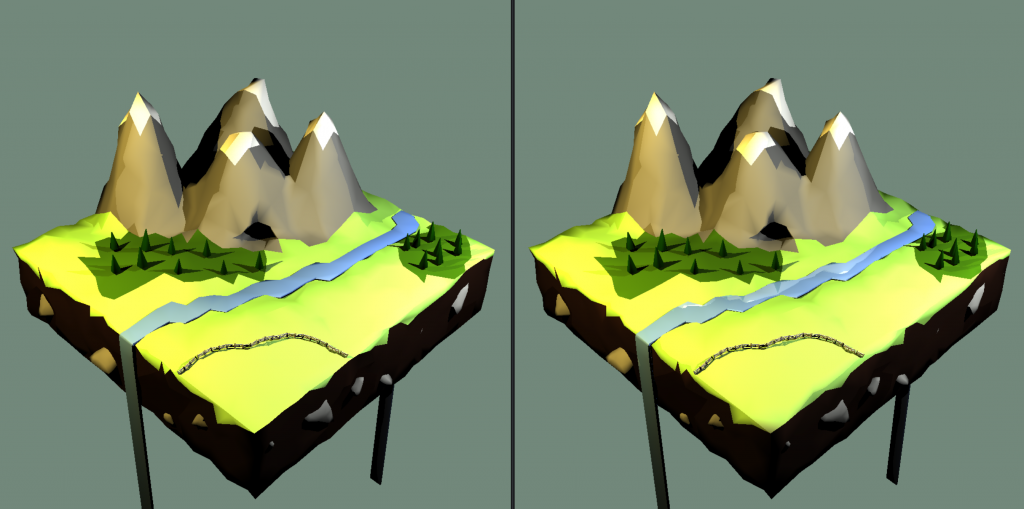
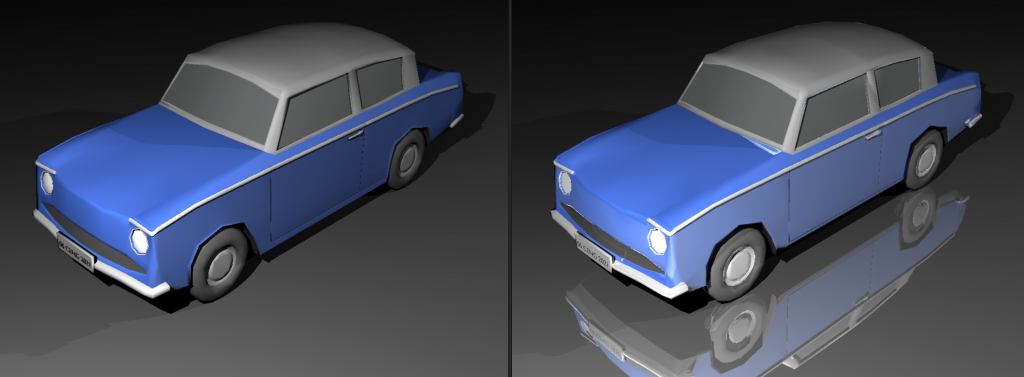
I have reached my space quota so I cannot add the other pictures. Most of the scenes seem the same except some additions such as mirrors. The berserker has slight shading differences. For some reason my chinese dragon seems further away than it should be. I added the two as pictures to a drive folder: https://drive.google.com/drive/folders/1xIVvd5WrOO7IWe1ksRcW1p_JNYF945gA?usp=sharing
I did not see any significant difference in the other scenes 🙂
Tests & Times
Below are the times of the scenes with and without backface culling. I also implemented a logging feature for this reason, but it was not in the submitted homework so I will be talking about it in the next part.

Both cases were done while my computer was in the same state as much as possible. I also run my raytracer via WSL 2.
| Name | Parsing Time | w/o Culling | w/ Culling |
| Science Tree | 0.003s | 4.32s | 1.77s |
| Science Tree Glass | 0.007s | 9.46s | 5.53s |
| Bunny | 0.006s | 3.11s | 1.15s |
| Bunny w/ plane | 0.008s | 39.03s | 27.8s |
| Chinese Dragon | 0.783s | 32m 16s | 21m 56s |
| Low Poly Scene Smooth | 0.015s | 24.72s | 17.31s |
| Tower Smooth | 0.012s | 22.83s | 18.89s |
| Car Smooth | 0.014s | 53.2s | 37.4s |
| David | 0.149s | 7m 51s | 5m 15s |
| Raven | 0.011s | 36.21s | 24.1s |
| Utah Teapot | 0.051s | 2m 16s | 1m 37s |
| Other Dragon | 1.841s | 2h 28m | 1h 46m |
| Ton Roosendaal Smooth | 0.11s | 7m 12s | 6m 1s |
| T-rex Smooth | 2.185s | 5h 0m | 3h 48m |
The lobster took longer than expected so I do not have a w/ culling version of it, it took more than 8 hours.